


Recently, I have been asked by some customers if it is possible to develop ko modules in plcnext device? So I gave it a try and wrote this blog.
What is a .ko module? A ko module is a form of Linux kernel module. In Linux, a kernel module is a block of code that can be dynamically loaded into the kernel and unloaded at runtime to extend the functionality of the kernel or to add new drivers, etc.
You will learn the following things through this tutorial:
- How to make a ko module available for version 2152 2023.0 (other plcnext devices are also available)
- How to load a ko module
- How to remove a ko module
- How to build the linux kernel
The following devices are required:
- Linux base PC (Ubuntu)
- toolchain and SDK (linux)
First of all, you need to know the linux version of your plcnext device and the version of the rt patch. How do we get it? It's simple, remote ssh login to the plcnext device and use following command:
uname -a.
For instance,it shows that the linux version of my device is 5.4.193 and rt-patch version is rt74
root@axcf2152:~# uname -a
Linux axcf2152 5.4.193-rt74-pxc #1 SMP PREEMPT_RT Wed Nov 30 11:53:25 UTC 2022 armv7l armv7l armv7l GNU/Linux
And then, the source code of linux kernel and rt-patch are needed.
- download linux kernel from here:
https://mirrors.edge.kernel.org/pub/linux/kernel/v5.x/
- download rt-path from here:
https://cdn.kernel.org/pub/linux/kernel/projects/rt/5.4/older/
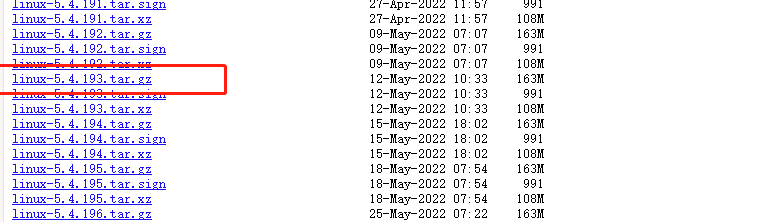
my linux version is 5.4.193.tar.gz
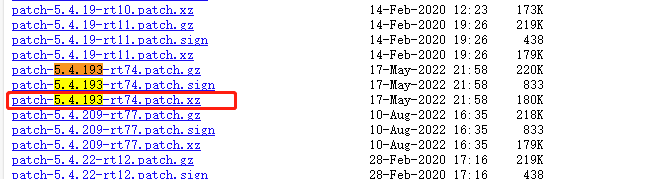
my rt-patch version is 5.4.193-rt74
Besides the kernel code and rt-patch, most importantly we need to know the kernel configuration of the plcnext device, otherwise we can't compile the available ko modules.
ssh admin@plcnext_ip
touch .config
zcat /proc/config.gz > .config

this .config file is the kernel config which we will use later.
Now open your Ubuntu PC and copy the above three files to your Ubuntu home directory.
Install the Toolchain and SDK according to your plcnext device
lqz@plcnext-02:~$ plcncli get sdks

{
  "sdks": [
    {
      "targets": [
        {
          "name": "AXCF2152",
          "version": "23.0.0.65",
          "longVersion": "2023.0.0 LTS (23.0.0.65)",
          "shortVersion": "23.0.0",
          "available": null
        }
      ],
      "path": "/home/lqz/sdk/2152/23.0/"
    }
  ]
}
Assuming that there is no doubt in the above operation, the following three files will be present in your PC:
- linux-5.4.193.tar.gz
- patch-5.4.193-rt74.patch.xz
- .config
mkdir kernel_module
cd kernel_module
cp ~/linux-5.4.193.tar.gz ./
cp ~/patch-5.4.193-rt74.patch.xz ./
cp ~/.config ./
tar -xvf linux-5.4.193.tar.gz
Now, we need install some libraries to build the kernel
sudo apt-get install libncurses5-dev libssl-dev build-essential openssl zlibc libelf-dev minizip libidn11-dev libidn11 bison flex
patch:
cd ~/kernel_module/linux-5.4.193

 xzcat ../patch-5.4.193-rt74.patch.xz | patch -p1

cd ~/kernel_module/
cp .config ~/kernel_module/linux-5.4.193
Load config: open a new shell
source ~/sdk/2152/23.0/environment-setup-cortexa9t2hf-neon-pxc-linux-gnueabi

make menuconfig
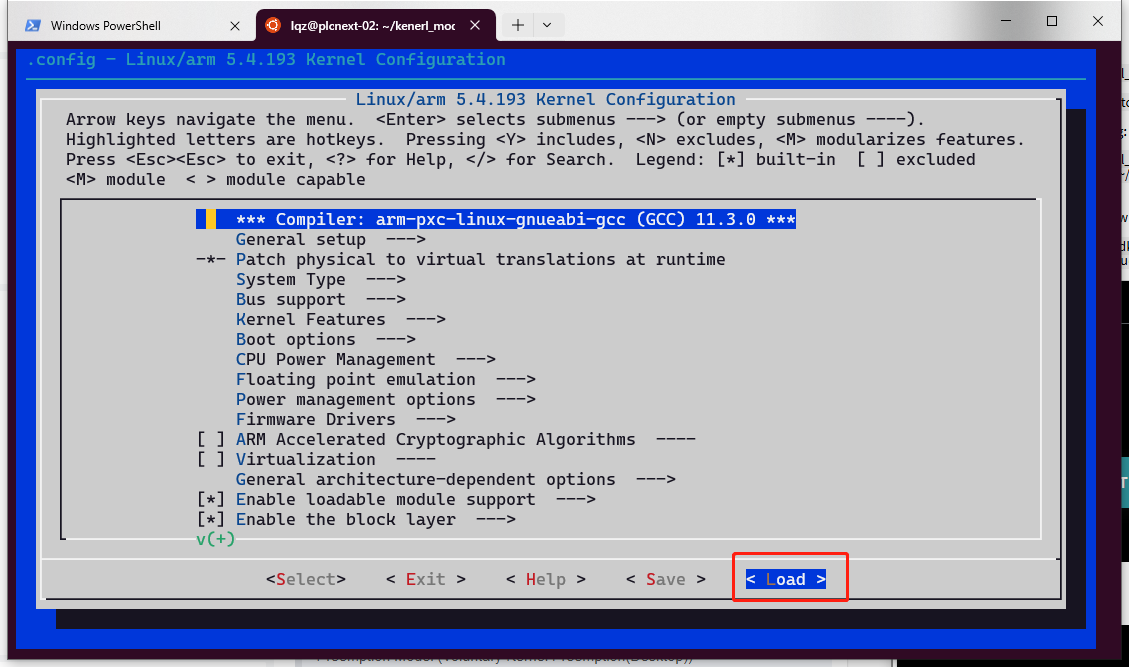
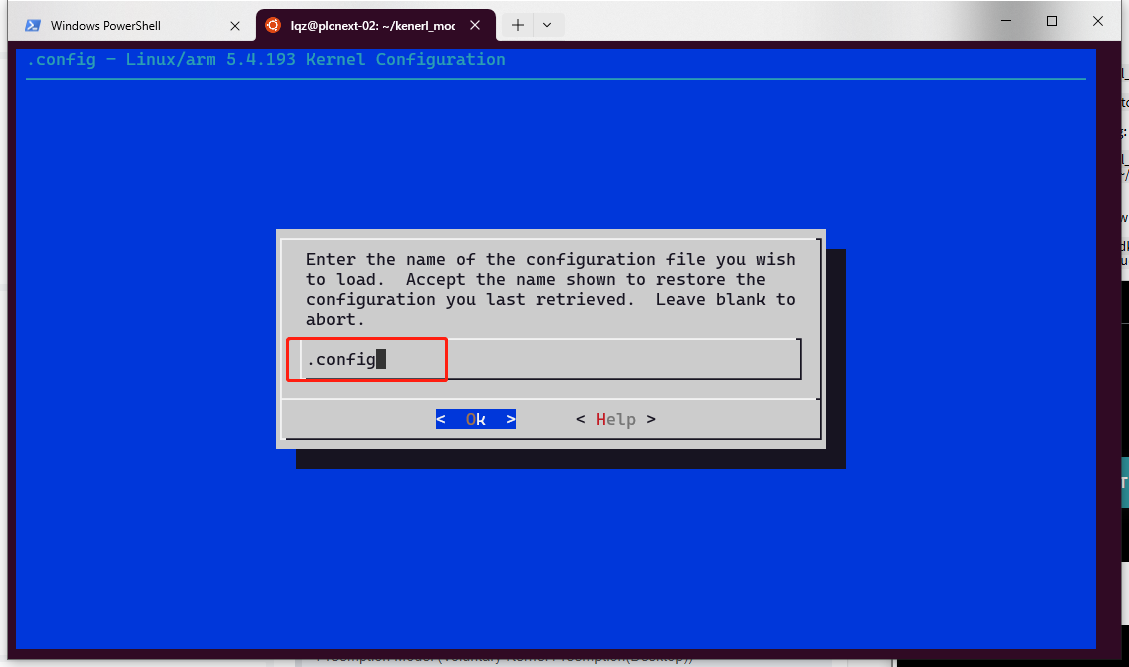
save and exit, In the same shell (if you open another new shell, please source the sdk again):
make -j4
while the compile finished, we can start to build a simple ko moudle:
cd ~/kernel_module/
mkdir mydriver
cd mydriver
touch mydriver.c
touch Makefile
here is mydriver.c
#include
#include
#include

static int __init mydriver_init(void)
{
    printk(KERN_INFO "My Driver: Initialization\n");
    return 0;
}

static void __exit mydriver_exit(void)
{
    printk(KERN_INFO "My Driver: Exit\n");
}

module_init(mydriver_init);
module_exit(mydriver_exit);

MODULE_LICENSE("GPL");
MODULE_AUTHOR("Your Name");
MODULE_DESCRIPTION("A simple driver");
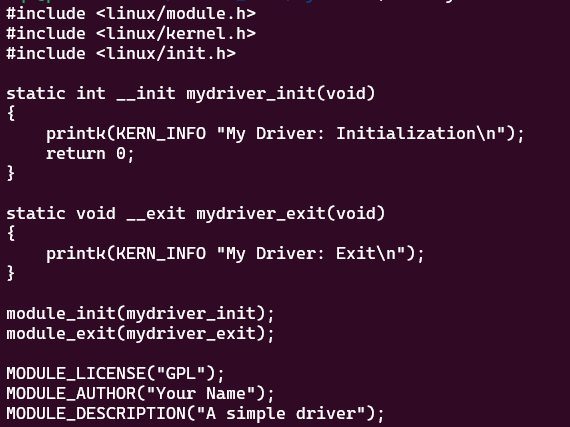
here is the Makefile
obj-m += mydriver.o

KERNELDIR ?= /home/lqz/kenerl_mode/linux-5.4.193
PWD := $(shell pwd)

default:
        $(MAKE) -C $(KERNELDIR) M=$(PWD) modules
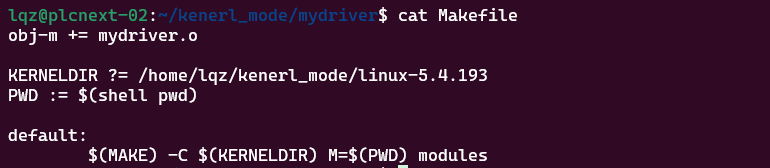
note: it is the TAB at the beginning, not spcae!
cd ~/kernel_module/mydriver
source ~/sdk/2152/23.0/environment-setup-cortexa9t2hf-neon-pxc-linux-gnueabi
make
lqz@plcnext-02:~/kenerl_mode/mydriver$ make
make -C /home/lqz/kenerl_mode/linux-5.4.193 M=/home/lqz/kenerl_mode/mydriver modules
make[1]: Entering directory '/home/lqz/kenerl_mode/linux-5.4.193'
  CC [M]  /home/lqz/kenerl_mode/mydriver/mydriver.o
  Building modules, stage 2.
  MODPOST 1 modules
  CC [M]  /home/lqz/kenerl_mode/mydriver/mydriver.mod.o
  LD [M]  /home/lqz/kenerl_mode/mydriver/mydriver.ko
make[1]: Leaving directory '/home/lqz/kenerl_mode/linux-5.4.193'
Now you will get a mydriver.ko , scp it to the plcnext device, in the exmaple is axcf2152
root@axcf2152:/opt/plcnext# ls
Runtime   apps      config  installed_apps  lttng        projects   shadowing
Security  appshome  data    logs            mydriver.ko  retaining
Use the insmod mydriver.ko
root@axcf2152:/opt/plcnext# insmod mydriver.ko
root@axcf2152:/opt/plcnext#
Now the mydriver is loaded in our kernel, but how to prove it? it shows nothing in the shell right now.
There are two simple ways to prove it:
- Use 'lsmod'
root@axcf2152:/opt/plcnext# lsmod
Module                  Size  Used by
mydriver               16384  0
nf_tables             106496  0
nfnetlink              16384  1 nf_tables
uio_netx               16384  0
uio                    16384  1 uio_netx
- Use syslog to check, because we used the printk to shows "My Driver: Initialization\n", and it will be loged in the syslog
grep "My Driver" /var/log/syslog
root@axcf2152:/opt/plcnext# grep "My Driver" /var/log/syslog
Jun 21 16:30:30 axcf2152 kernel: [1577443.382753] 000: My Driver: Initialization
How to remove it from kernel?
rmmod mydriver.ko
Hope this tutorial is useful for you.

Leave a Reply
You must be logged in to post a comment.